Speed is Key
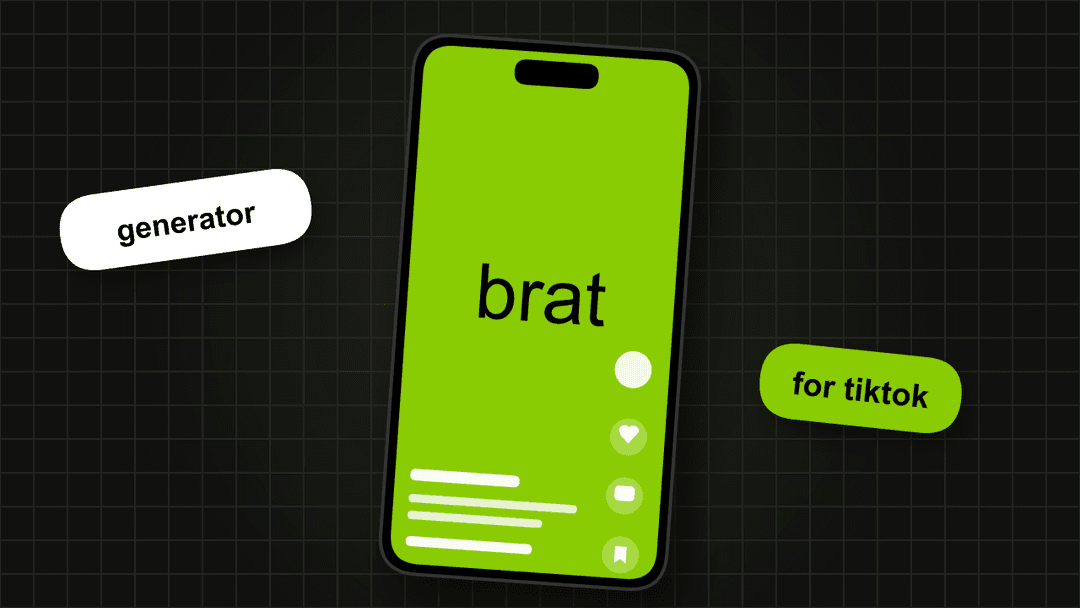
TikTok moves fast. A brat image that takes 10 minutes to make in design software is already old news by the time you post it. The brat generator lets you go from idea to PNG in under a minute.
Why TikTok and Brat Go Together
TikTok culture rewards authenticity over polish. The brat aesthetic is intentionally lo-fi, perfectly fitting the raw and unfiltered energy of the platform. A short block of text on a solid neon color naturally stops the scroll because it completely breaks away from hyper-edited video content. Gen Z recognizes the aesthetic instantly the moment it appears on their For You Page. When you want to make a statement that resonates with a highly online audience, this aesthetic is your best option.
Best Brat Image Sizes for TikTok
Profile Picture
1:1 SquareBecause profile pictures show up incredibly small in the comment section and on the sidebar of your videos, you must use a 1:1 square format and keep your text as large and readable as possible.
Video Overlay
9:16 VerticalIf you want to use a graphic as part of a video edit or as a transition slide, you need the vertical format to fill the entire screen of a modern smartphone without leaving awkward black bars.
Story / Background
9:16 VerticalStories are the perfect place for temporary updates. Using the vertical layout ensures your story looks natively created for the app and works perfectly as a standalone post on your feed.
Our free brat generator has both of these aspect ratio presets built right in, so you never have to guess the correct dimensions.
What to Write
You have a massive amount of creative freedom. A classic and highly effective choice is just your name. You could also express a relatable mood, or if you are making reaction content, phrases like "not my problem" hit incredibly hard. Keep it under 4 words. If it takes more than 2 seconds to read it is too long for TikTok.
TikTok Colors
The exact color you pick matters. The classic green is undeniably viral, while black offers high contrast for dark mode users, and pink provides a softer edge for lifestyle creators.
Batch Creating
If you want to grow your account fast, you need to batch create your content.
Lock your preferred background color and canvas size in the tool so they stay perfectly identical. Then, change only the text between exports, downloading 5 to 10 different variants back to back. Once you have your folder of images, schedule them across the week to keep your feed active without daily effort. Do not change any settings between exports - visual consistency is the entire point.
Ready to start?
Open the GeneratorFrequently Asked Questions
Open the free brat generator, type your text, pick your background color, and download a PNG. The whole process takes under 60 seconds. No signup or app download needed.
For TikTok profile pictures use 1:1 square format. For TikTok stories and videos use 9:16. The brat generator has both aspect ratio presets built in.
The official brat green is #89CC04. It stands out on both light and dark TikTok feeds. Black (#0a0a0a) also works well for dark mode viewers.
Yes. The brat generator is completely free - no watermark, no account, no limits. Every image you download belongs to you.
Short phrases work best - 1 to 4 words maximum. Your name, a mood, a reaction, or a lyric fragment. The less text the more brat it looks.