The Short Answer
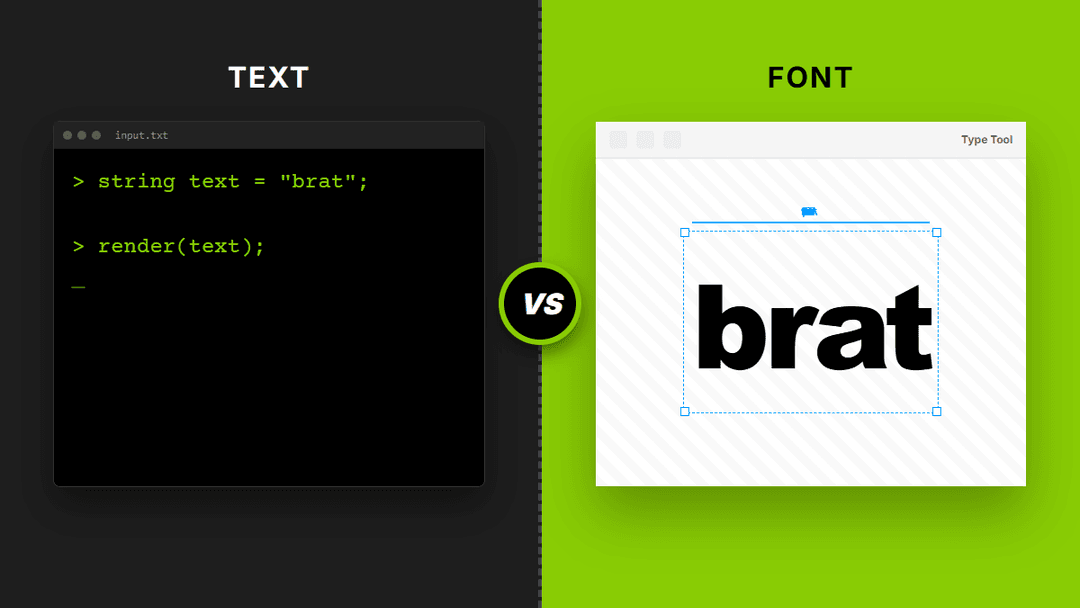
The main difference is about speed versus control. One tool is built for making a complete social media image in seconds. The other is built for precise typography control.
If you want a finished graphic, choose the text tool. If you are a designer who wants to perfect the letter spacing, choose the font tool. Both are free and easy to use. In simple terms, one handles the "vibe" and the other handles the "specs."
Brat Text Tool
This tool is all about the final product. It is a complete image maker that handles everything at once.
When you use the brat text generator, it automatically places the text in the right spot, handles aspect ratios for TikTok/Instagram, and lets you add stickers or emojis. It is designed to look like the original album cover with zero effort. Most users find this to be the fastest way to join the trend.
Brat Font Tool
This tool focuses entirely on the typography itself, giving you fine control over every letter.
The brat font generator allows you to adjust font weight, letter spacing, line height, and alignment. It is built for graphic designers and artists working on larger projects like posters or complex digital artwork where an exact typography match is mandatory.
Feature Matrix
| Requirement | Text Tool | Font Tool |
|---|---|---|
| Quick Meme / Post | YES | NO |
| Custom Spacing | NO | YES |
| Stickers & Emojis | YES | NO |
| Exact Typography Match | NO | YES |
Both tools output a PNG file, so you can always use them together. The important thing is to decide how much control you actually need before you start typing.
The Perfect Workflow
Yes, using both tools together is a great workflow. You can start by using the font-focused tool to find the exact style you like.
Once you have the letters looking perfect, head over to our main brat generator to build the final image. This allows you to add stickers, choose a background, and set the right aspect ratio for social media. This approach gives you the best of both worlds: professional typography and viral features.
Frequently Asked Questions
Yes. The text tool focuses on the overall image and background. The font tool focuses on the specific design of the letters, including how thick they are and how close they sit to each other.
The text tool is better for social media. It includes presets for vertical and square formats, making it easy to upload your creation directly to your profile without cropping.
Yes. Every single tool on our website allows you to download your work as a high-resolution PNG file for free. We never add watermarks or hidden logos to your designs.
Absolutely. We believe in keeping these creative tools open to everyone. You can use any of our generators as many times as you like without ever having to pay or sign up for an account.
Written by the ibratgenerator.com team
July 3, 2026