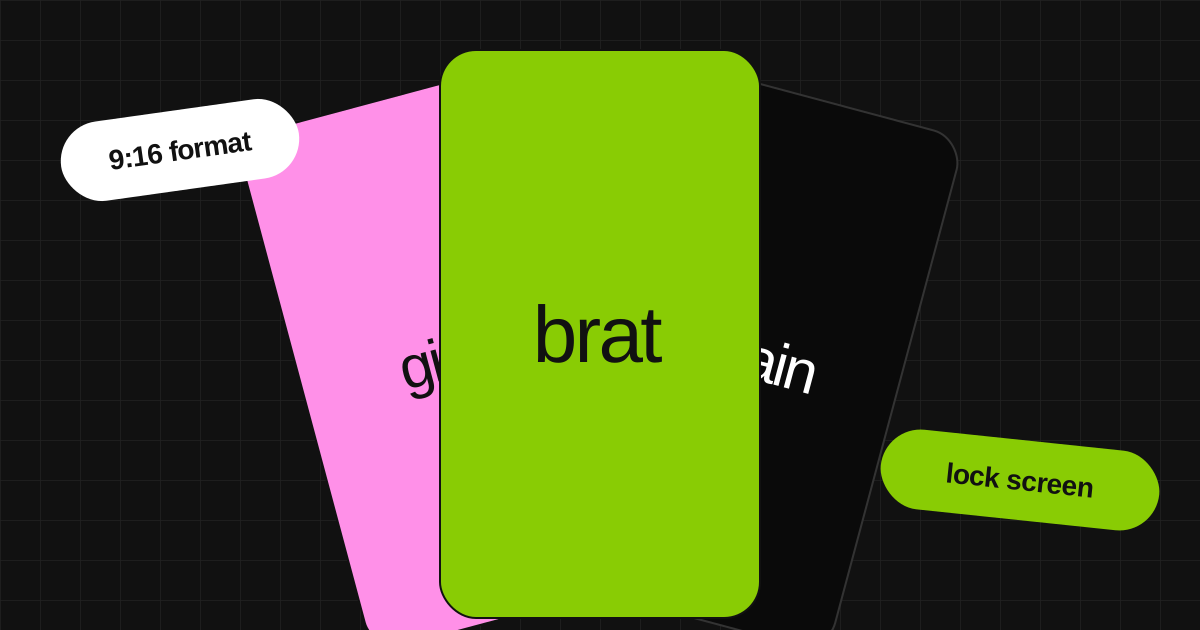
Your lock screen and home screen are the first things you see every time you pick up your phone. A brat wallpaper makes that moment feel intentional - one word, your color, your aesthetic. No stock photos, no downloaded images from Pinterest, nothing that someone else made. This guide shows you exactly how to make your own brat wallpaper in under a minute, for free, on any device.
What Makes a Good Brat Wallpaper
The key to a perfect wallpaper is a simple formula: solid color + short text. Stick to 1 to 4 words maximum - less is more. The text should be centered and large enough to read at a glance on your lock screen.
High contrast is essential - your text must pop against the background color. Avoid all clutter: no stickers, no borders, no extra elements. Always use lowercase letters, as uppercase breaks the core aesthetic rules. The less designed it looks, the more accurate it is to the brat aesthetic.
Best Brat Wallpaper Colors
Brat Green Wallpaper (#89CC04)
The most recognizable brat color. It brings high energy and stands out on any device. Best text ideas: your name, "brat", "whatever", "2026". Works well on both dark and light mode UI. Use the brat green generator.
Black Brat Wallpaper (#0a0a0a)
Dark mode friendly - blends seamlessly with your phone UI. Best for a moody, edgy aesthetic. Best text ideas: "tired", "unbothered", "villain era", your name. This is especially dramatic on OLED lock screens. Use the black brat generator.
Pink Brat Wallpaper (#ff90e8)
A softer, more playful look that is extremely popular for home screens on iOS. Best text ideas: "girly", "not serious", your name, "pink". Try it in the pink brat generator.
White Brat Wallpaper (#ffffff)
A clean and minimal look that is perfect for light mode phone UI. Best text ideas: "clean", "quiet", your name, "minimal". Try it out in the white brat generator.
What to Write on Your Brat Wallpaper
Your name is always a classic choice - it makes your device personal and recognizable every time you unlock it. You could also choose a single mood like "tired", "whatever", "unbothered", or "chaos".
Many people use a year like "2026", "forever", or "since 2024". A short reaction phrase also works perfectly: "not my problem" or "i said what i said". A lyric fragment is great, but remember to keep it to 3 words maximum. Finally, you can write absolutely nothing - just a blank solid color. This is arguably the most brat thing possible.
Keep it under 4 words. Your wallpaper is the last thing you see before you sleep and the first thing you see when you wake up. Make it count.
How to Make a Brat Wallpaper for Your Phone
Open the brat generator on your phone browser.
Type your text in the input field - keep it under 4 words.
Pick your background color - green, black, pink, or white.
Set aspect ratio to 9:16 - this is the phone wallpaper format.
Set resolution to 2048px for sharp quality on high-res screens.
Tap Save PNG to download.
Go to your phone Settings - Wallpaper - Choose a new wallpaper.
Select the downloaded PNG and set as lock screen, home screen, or both.
The brat generator works in any mobile browser - no app download needed.
Lock Screen vs Home Screen - Which Looks Better
On the lock screen, your text is much more visible because there is less UI clutter covering it. On the home screen, app icons will cover parts of the wallpaper - it is best to keep your text centered in the bottom third if possible.
iOS crops differently than Android - center your text and keep margins generous to be safe. For both screens, you can use the same wallpaper for a consistent aesthetic or different colors for variety. To ensure safe margins, enable "show safe margins" in the brat generator to see where content is safe from cropping.
Brat Wallpaper Ideas by Vibe
- Main Character - #89CC04 background, your name centered, large font.
- Villain Era - black background, 'villain era' in white, slightly blurred for effect.
- Soft Life - pink background, 'soft' or your name, minimal spacing.
- Minimal - white background, single word, lots of breathing room.
- Chaotic Good - green background, 'chaos' or 'whatever', maximum font size.
- Year Wallpaper - black background, '2026' in white, full screen text.
None of these require design skills. Open the tool, type the text, set 9:16, download. Go to the brat text generator.
Frequently Asked Questions
Open the free brat generator, type your text, set the aspect ratio to 9:16 for phone wallpaper, pick your background color, and download a PNG. The whole process takes under 60 seconds.
iPhone wallpapers are 1170x2532px for iPhone 12 and newer. Set your aspect ratio to 9:16 and resolution to 2048px or higher in the brat generator for a sharp result.
The official brat green is #89CC04. Black (#0a0a0a) and pink (#ff90e8) are also popular brat wallpaper colors. All three are available as presets.
Yes. Download the PNG and set it as your home screen or lock screen wallpaper in your phone settings. Works on all Android devices.
Yes. Completely free - no watermark, no account, no limits. Download as many wallpapers as you want.